The short answer
Distinguish a missing dxgi.dll from a crash naming the module or DXGI_ERROR_DEVICE_REMOVED. If a graphics filter triggers it, restore the original game through the filter manager. If unrelated apps report the file missing, check Windows components.
Common symptoms
Match the complete error before following the checks:
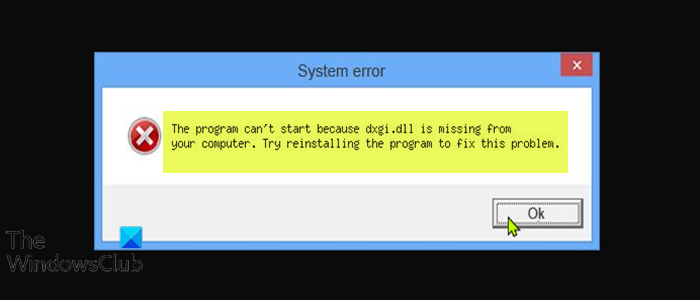
- The game reports dxgi.dll missing before opening a graphics window.
What causes dxgi.dll
The same message can have different causes. Check Windows version, application architecture and logs.
Repair steps
Follow these 3 steps in order, starting with the simplest checks.
Check graphics details and the original error
Difficulty: Easy5–10 minRecord the dialog and the module path in the event. If it points into the game folder, check filter and mod history. Restore the original through its manager, then verify game files.
Read Microsoft's official guidanceYou can distinguish a missing file from a feature-level or device error.
Verify application files and test again
Difficulty: Easy5–10 minVerify files in the original game launcher or use the vendor's repair installer. Keep saves and settings, launch the same application through its original launcher and record any new error.
File verification completes and both launcher and application open. If the message changes, investigate the new filename.
Repair Windows components
Difficulty: Easy5–10 minFinish Windows Update and restart. If a Windows DLL is still reported missing, follow Microsoft's instructions in an elevated terminal: run DISM.exe /Online /Cleanup-Image /RestoreHealth, then sfc /scannow. Keep both results.
Read Microsoft's official guidanceAfter restarting, repeat the same launch and compare the exact filename.
Verify the fix
Verify with the same application and launch method that originally failed:
Frequently asked questions
Does DXGI_ERROR_DEVICE_REMOVED mean dxgi.dll is missing?
Device removal is a graphics device status error. Record the driver version, time and game log, then investigate the device or driver.
Can I copy a downloaded DLL into System32?
Use the complete Microsoft or application-vendor installer. A loose DLL can have the wrong architecture, version or origin and does not restore its dependencies. Do not overwrite system-directory files.