The short answer
Record the EXE in the title bar and the most recent update. Verify the affected game through its launcher if only one title fails. Check Windows components if unrelated applications fail too.
Common symptoms
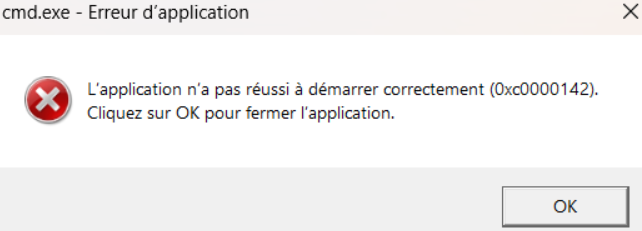
Match the complete error before following the checks:
- 0xc0000142 appears before the main menu.
- The dialog may report initialization failure without naming a missing file.
What causes 0xc0000142
The same message can have different causes. Check Windows version, application architecture and logs.
Repair steps
Follow these 4 steps in order, starting with the simplest checks.
Find the application event at the time of failure
Difficulty: Easy5–10 minNote when the game exits. Open Event Viewer → Windows Logs → Application and match the process name, exception code and module path. If there is no matching event, keep the launcher log and complete dialog.
You can identify whether the game, its launcher or another process exited.
Verify application files and test again
Difficulty: Easy5–10 minVerify files in the original game launcher or use the vendor's repair installer. Keep saves and settings, launch the same application through its original launcher and record any new error.
File verification completes and both launcher and application open. If the message changes, investigate the new filename.
Retest with the original game configuration
Difficulty: Easy5–10 minRecord custom launch options and enabled mods. Temporarily turn off mods and overlays in their managers. Repeat the same launch, then restore them one at a time if the problem clears.
You have recorded which change reproduces the failure.
Repair Windows components
Difficulty: Easy5–10 minFinish Windows Update and restart. If a Windows DLL is still reported missing, follow Microsoft's instructions in an elevated terminal: run DISM.exe /Online /Cleanup-Image /RestoreHealth, then sfc /scannow. Keep both results.
Read Microsoft's official guidanceAfter restarting, repeat the same launch and compare the exact filename.
Verify the fix
Verify with the same application and launch method that originally failed:
Frequently asked questions
What if I can only see the application startup message?
Copy the entire dialog, including the parentheses, and match the code in the error index.